


Wordscapes Search: Word Games
4.750.36K Reviews
App Specs
- Version
- 1.56.0
- Updated On
- License
- Free
- Downloads
- 10,000,000+
- Developer
- PeopleFun
- Categories
- Word
- Platform
- Android, iOS
Screenshots
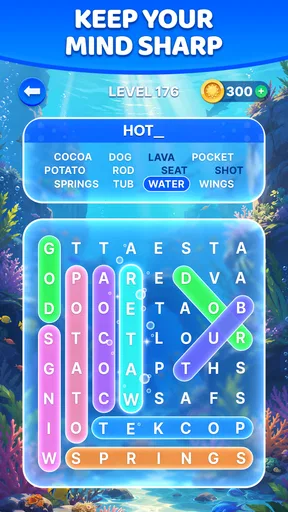
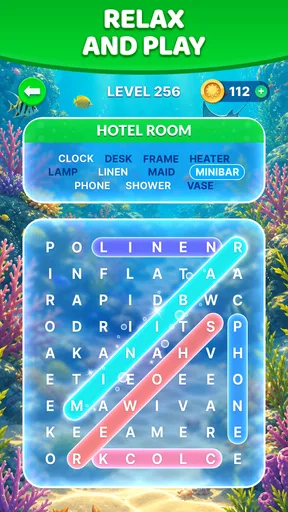

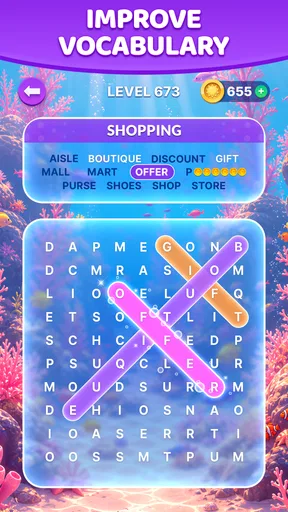
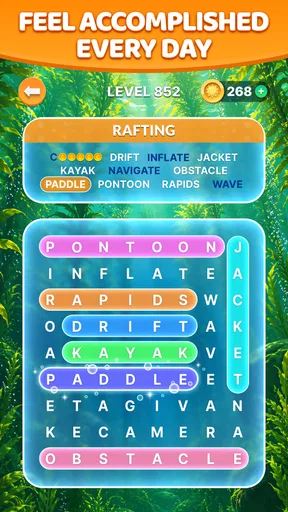
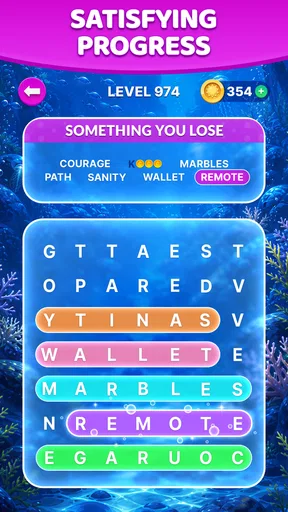
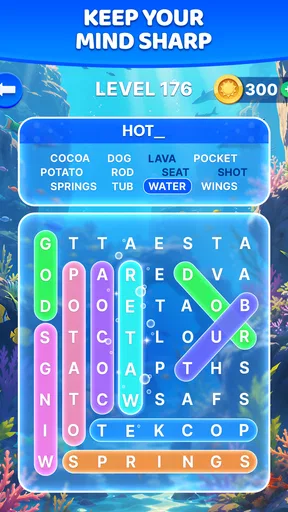
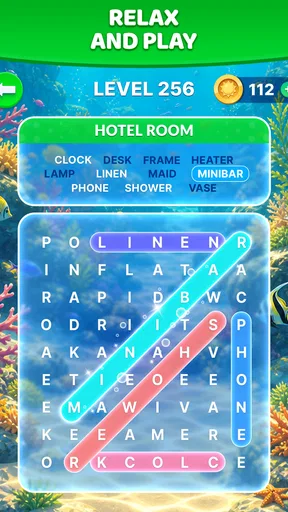
 Analysis by AppCompare
I tend to enjoy word searches most when they fit into an ordinary pause rather than demand a long, uninterrupted session. That is the appeal I see in Wordscapes Search: Word Games: its letter-swiping puzzles invite a quick look, but a tricky board can also hold my attention when I have more time. It is a word game from PeopleFun, and the basic rhythm is easy to grasp: scan the letters, spot a word, and swipe to connect it.
A simple routine that suits short breaks
My most reliable way to play is to begin with a relaxed scan instead of swiping at the first familiar pattern. I look across the available letters, try obvious combinations, then slow down if the remaining puzzle stops making sense. That small pause matters: rushing can make me overlook a word that becomes clear when I consider a different starting point.
This makes the game a natural fit for a commute while seated, a waiting room, or a few minutes between chores. I would not choose it when I need a game with a deep story or a complicated system to master; its pleasure comes from noticing words and moving through puzzles, not from a large range of activities. The straightforward format is also approachable for someone who wants a word search without first learning a stack of rules.
Settings and comfort are part of the experience
The inviting presentation and gentle soundtrack help create an unhurried mood, but what feels relaxing to one person may distract another. I recommend checking the available sound controls early and adjusting them to suit the place you are playing. Muting the music can make a quick session more practical in a quiet public space, while keeping it on can make a longer puzzle break feel calmer.
It is also worth thinking about how long you want a session to last. The game can make it easy to continue from one puzzle to another, so I find it useful to decide whether I am opening it for a single short break or a more leisurely stretch. That is a simple habit rather than a special feature, but it helps keep a soothing game from quietly taking more time than intended.
How I work through a stubborn board
When the obvious words are gone, I stop repeating the same scan and change the way I search. I look for uncommon letter pairings, then test short combinations before trying longer ones. If I keep circling the same letters without progress, a brief pause is more useful than swiping randomly; returning with fresh eyes often breaks the pattern.
Hints can help when I genuinely want to move on, and the game offers purchasable power-ups and hints. I would save that option for a moment when I am stuck rather than use help automatically, since solving a word myself is the most satisfying part of the loop. This is a good example of the game’s trade-off: assistance can reduce friction, but leaning on it too quickly may flatten the challenge.
Worth Reading Before You Choose

Switching to Android Auto Means Rethinking Your Driving Routine

Google Calendar Makes a Crowded Week Easier to Manage

Baby Panda World Brings Quick Play to Modern Phones, but Its Game Library Feels Busy

ESPN’s Live Game View Makes Following Close Games Easier

QuizzLand Review: A Good Fit for Short Trivia Breaks, Not Every Player

Basketball Stars: Multiplayer Is Fast, but Can It Recover When Matches Go Wrong?
Where it fits among word games
Compared with a traditional printed word search, this feels more immediate: swiping the letters gives each find a clear, tactile action, and the level-based progression gives me a reason to continue. Compared with a crossword, it asks less of me in terms of clues and outside knowledge. That makes it easier to pick up when I want a light puzzle, although crossword fans looking for layered clues and a stronger test of general knowledge may prefer their usual choice.
The game also has daily puzzles, which give regular players a small reason to return. I treat them as an optional change of pace rather than a requirement; the core appeal is still the letter search itself. If leaderboards appeal to you, they offer a competitive angle, but I would not recommend choosing the game solely for social play. The word-finding is the dependable draw, while competition is an extra for players who enjoy comparing progress.
Who will enjoy it—and who may not
I think it works especially well for casual puzzle fans, people who like spotting patterns, and anyone who wants a low-pressure word game they can open in spare moments. Its Everyone age rating makes it broadly accessible, and the simple swipe interaction is easy to understand. The game is free to play, with in-app purchases ranging from $0.99 to $99.99 per item, so I would keep that range in mind if children use the device and purchases are a concern.
It is less suitable if you want every session to feel completely new, prefer a demanding logic puzzle, or dislike the possibility of ads in a free game. Ads are part of the experience, even though they are described as occasional and generally easy to bypass. People who prefer a fully focused, uninterrupted session may be happier with a paid word game that better matches that preference, while players who enjoy a relaxed search can decide whether the free format works for them.
First Impressions
When I first downloaded Wordscapes Search, I was greeted with a clean and inviting interface. The colors are easy on the eyes, which is a relief because once you start playing, you'll be glued to the screen for a while. The game kicks off with a simple tutorial that gets you up to speed without feeling like a chore. It’s the perfect setup for beginners and seasoned wordsmiths alike.
Gameplay Mechanics
In Wordscapes Search, you’ll find yourself navigating through a variety of levels, each with its own set of challenges. The primary objective is to swipe and connect letters to form words, which sounds simple enough, right? But as you progress, the puzzles become more intricate, requiring a bit more brainpower and strategy.
The game does a fantastic job of balancing difficulty. Just when you think you’ve mastered it, a new twist will keep you on your toes. And let me tell you, the satisfaction of uncovering a particularly tricky word is like finally finding that missing puzzle piece under the couch.
Features That Stand Out
One of the standout features is the daily puzzles. These are a great addition that keep the game fresh and engaging. Every day you get a new challenge, and trust me, it’s a fantastic way to keep your vocabulary sharp.
Another lovely touch is the calming background music. It’s subtle and soothing, making it easy to lose track of time as you dive deeper into the game. It’s like having your very own zen garden, minus the raking and with a lot more wordplay.
Community and Interaction
If you’re competitive like I am, you’ll love the leaderboard feature. It’s always fun to see how your skills stack up against players worldwide. Plus, the game occasionally throws in events and competitions, adding an extra layer of excitement and a chance to earn some bragging rights.
In-App Purchases and Monetization
Now, let’s talk about in-app purchases. Wordscapes Search offers a variety of power-ups and hints that can be purchased to help you out of a bind. While the game is completely enjoyable without spending a dime, these extras can enhance your experience, especially if you’re stuck on a particularly stubborn level.
Ads are present, but they’re not intrusive. You’ll encounter them occasionally, and they can usually be bypassed with a simple tap. It’s a small price to pay for a free game that offers so much in return.
Final Thoughts
For anyone wondering about compatibility, the current version is 1.47.2 and the minimum operating system requirement is 7.0. That makes it worth checking your device before installing, particularly if you are considering an older phone or tablet. The game is free, while optional purchases are available; I would treat hints as a convenience rather than something needed to enjoy the puzzles.
Its audience is substantial, with over 10 million installs, around 229,000 ratings and 49,000 reviews, and an average rating of 4.7. Those numbers suggest it has found plenty of word-game fans, but they do not determine whether its particular pace suits you. I would use the first few sessions to see whether the swipe-and-search loop is the kind of small challenge you want to return to.
In a world full of apps vying for our attention, Wordscapes Search: Word Games stands out as a compelling choice for word lovers and puzzle enthusiasts. Its blend of challenging gameplay, beautiful design, and engaging features makes it a must-try for anyone looking to add a bit of brainy fun to their daily routine.
If you’re ready to embark on a journey through a world of words, you can snag Wordscapes Search on both Android and iOS. Happy word hunting!
Pros
- Engaging puzzles with varying difficulty levels.
- Smooth and intuitive user interface.
- Daily challenges keep gameplay fresh.
- Visually appealing graphics and themes.
- Offline mode available for on-the-go play.
Cons
- Contains ads that can interrupt gameplay.
- Limited hints can be frustrating for beginners.
- In-app purchases may be necessary for boosts.
- Levels can become repetitive over time.
- Some puzzles may require obscure words.
FAQs for Wordscapes Search: Word Games
What is Wordscapes Search: Word Games about?
Wordscapes Search: Word Games is a word puzzle game that combines the challenge of traditional word searches with beautiful landscape backgrounds. Players must find and connect words from a grid of letters, progressing through levels that increase in difficulty. It's both a relaxing and mentally stimulating experience, perfect for word enthusiasts.
Is Wordscapes Search: Word Games free to play?
Yes, Wordscapes Search is free to download and play. However, it contains in-app purchases that allow players to buy hints or remove ads. These purchases are optional and not necessary to enjoy the full experience of the game, but they can enhance gameplay for those who choose to use them.
Can I play Wordscapes Search: Word Games offline?
Yes, Wordscapes Search can be played offline, making it a great option for users who want to enjoy the game without relying on an internet connection. This makes it perfect for playing on the go, whether you’re traveling or simply without access to Wi-Fi.
What platforms is Wordscapes Search: Word Games available on?
Wordscapes Search: Word Games is available for both Android and iOS devices. You can download it from the Google Play Store for Android devices and the Apple App Store for iOS devices. Make sure your device meets the app's system requirements for optimal performance.
Does Wordscapes Search: Word Games offer any support for players?
Yes, Wordscapes Search provides support for players through an in-game help section and customer service. If you encounter any issues or have questions about gameplay, you can contact the support team via the app or through their official website for assistance.


